
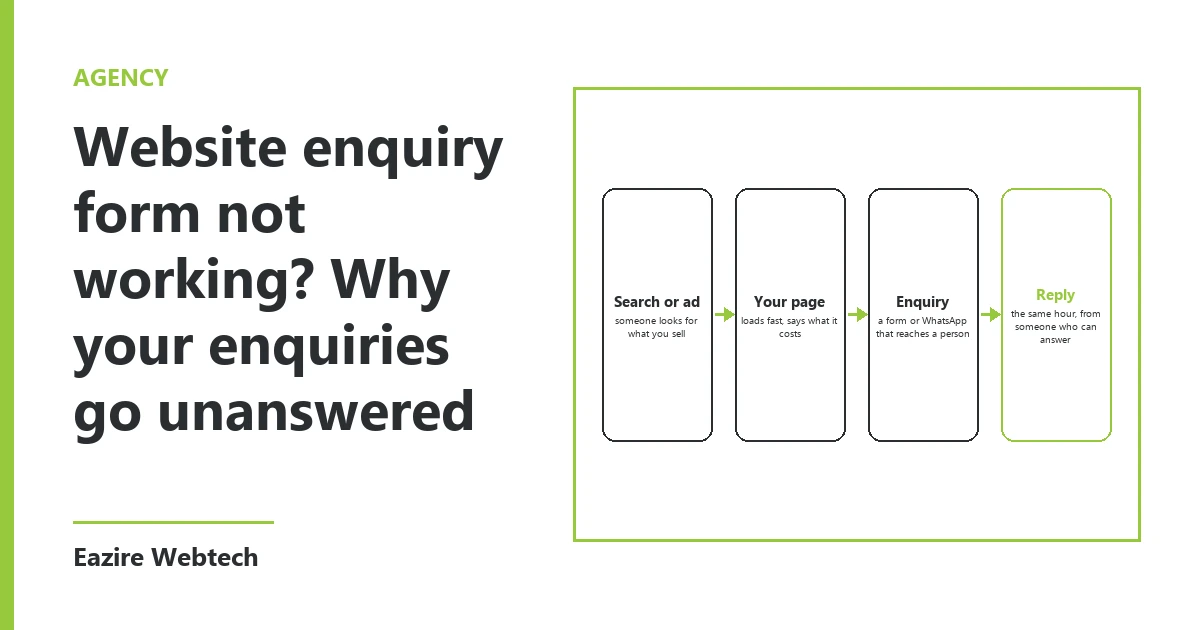
Why a website enquiry form stops working without anyone noticing
When a website enquiry form is not working, it rarely looks broken. The page loads. The customer types their name, phone number and question. They press Send and see "Thank you, we will be in touch." As far as they know, the job is done.
On your side, nothing happens. No mail, no call, no order. Weeks later someone tells you they wrote and never heard back.
When we take over a site that has gone quiet, we find the same three breaks again and again. The mail never arrives. The mail arrives in a box nobody reads. Or someone reads it, and the reply goes out the next week. Each one has a different fix, so first find out which one you have.
Break one: the mail never arrives
A form does not deliver a letter by hand. The website passes the enquiry to a mail server, and that server tries to deliver it to your inbox. Several things can stop it on the way.
The most common one we see is a form that sends mail "from" the customer's address. Your inbox gets a message that claims to come from a stranger's free mail account but actually comes from your web server. It looks fake, so it goes to spam or gets dropped without any notice.
The second is a missing set of three records on your domain: SPF, DKIM and DMARC. These tell other mail servers that your website may send mail in your name. Without them, more and more inboxes refuse the message. A site that delivered fine two years ago can start losing mail with no change on your side, because the inboxes on the other end got stricter.
The third is plain change. Someone moved the hosting, changed the domain's mail settings, or left the company whose address the form still sends to. The form keeps saying thank you, and the mail goes to an address that no longer exists.
When we wire a form, it sends from an address on your own domain. It puts the customer's address in the reply-to line. It goes out through a mail service with those three records set. It also saves every enquiry to a list on the site itself, so if the mail fails, the enquiry is still there.
Break two: the mail arrives in a box nobody reads
This one is not technical, and it is just as common. The form sends to an address someone set up when the site was built, often info@ or sales@ on your domain. Then nobody opens that box.
Sometimes the box forwards to one person's phone, and that person has left. Sometimes the box fills up and new mail bounces. Sometimes the enquiries go into a folder or a side tab that nobody scrolls through.
The fix is a decision, not a setting. Name one person who reads form mail every working day. Send the form to that person and to one more person who covers their leave. Write down the two names, and check them whenever someone joins or leaves.
Break three: the reply goes out next week
The mail arrives and someone reads it. Then it waits. Maybe the right person is out, or the question needs a price, or it seems easier to answer three at once on Saturday.
A customer who fills in a form is often asking more than one business the same question. Whoever answers first gets the first conversation. A reply after five days often reaches someone who has already bought.
We suggest one rule: every form enquiry gets a reply from a person within one working day. The reply can be as short as "We have your question, and we will send the price by Thursday." That one line keeps the customer. It also gives you a monthly count of how many enquiries came in, which most owners have never seen.
The monthly test, step by step
This takes about five minutes. Put it in your calendar for the first working day of every month.
First, open your website on a phone, not your office computer. Fill in the enquiry form the way a customer would. Use a personal address that is not on your company domain. Write "Monthly test" and the date in the message.
Second, note the time you pressed Send.
Third, check the inbox the form should reach. Look in the main inbox, then spam, then any other folders. Note when the test arrived, or that it never did.
Fourth, check that the person who should reply saw it, and time their reply. If they answered it like a real enquiry, good. If they never noticed it, you have break two.
Fifth, press Reply on the form mail and see which address it goes to. It should go to the customer, which here is your personal test address. If it goes back to your own website, your customers hit the same problem every time you answer them.
If the site has more than one form, such as a quote form and a contact form, test each one. If the site has pages in two languages, test the form on both.
Write the result in one line: date, arrived or not, minutes to arrive, hours to reply. Twelve lines a year tell you more about your website than any report.
What to ask whoever built your form
If the test fails, you do not need to know how mail servers work. You need three answers from whoever looks after your site.
Ask where the form sends, and from which address. Ask whether the three mail records are set on your domain. Ask whether every enquiry is also saved on the site, so you can see the ones the mail lost. A good answer to each takes one sentence.
The question we would ask you is the one we ask every new client: when did your form last bring in an enquiry, and who answered it?
We set up and test enquiry forms as part of the websites we build and host.