
What an ERP for small manufacturers must do first
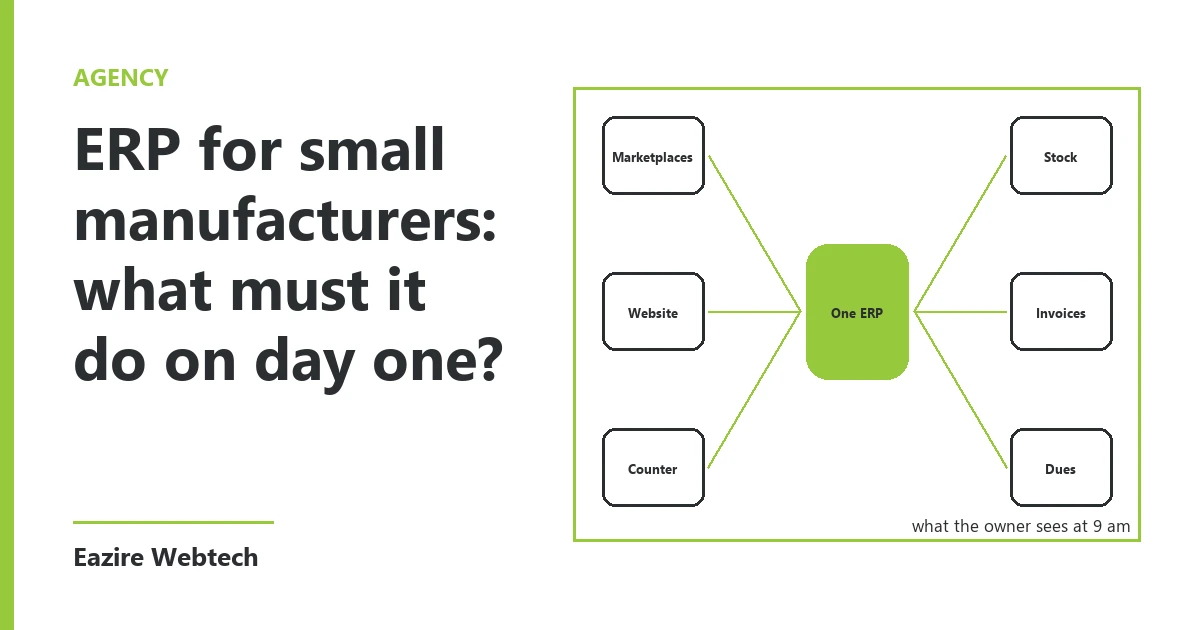
A small manufacturer does not need fifteen modules. It needs to know three things every evening. What is in stock. What was billed today. Who still owes money.
When we build an ERP for small manufacturers, those three are the first screens we wire. Stock, invoices and dues. Everything else waits until these three are in daily use.
The reason is plain. These three touch money every day. A wrong stock count stops a production run. A late invoice delays a payment. An old due that nobody chases turns into a loss. Get these right and the ERP earns its keep in the first month.
Stock: raw material in, finished goods out
A workshop holds two kinds of stock. Raw material comes in. Finished goods go out. Most small units we meet track one of them with care and guess the other.
On day one the stock module does four jobs. It records every purchase as it arrives at the gate. It records what was issued to the floor. It records what came off the floor as finished goods. And it shows the balance of each item, in that item's own unit.
Units matter more than owners expect. Steel comes in kilos. Cloth comes in metres. Glue comes in litres. Finished goods leave in pieces or in cartons. If the ERP cannot hold a separate unit for each item, someone starts a side register. From that day the ERP drifts away from the shelf.
We also set a reorder level for each raw material. It is one number per item, and the owner sets it, not us. When the balance falls below that number, the item shows on the home screen in red. That one line has saved more production days than any report we have built.
Batch costing and machine-wise tracking stay out of the first weeks. They are useful. They are not urgent, and they need clean stock data to mean anything.
Invoices: one series, made from the stock
The second module is billing. The rule we follow is simple. An invoice is made from the stock, not beside it.
When an invoice is saved, the finished goods on it leave stock at the same moment. Nobody types the sale twice. Nobody updates a stock sheet at night from a pile of bill copies.
On day one the invoice has to get a few things right. One running number series for each financial year, with no gaps. The buyer's name, address and GSTIN. The HSN code and tax rate on each line. A printed copy for the file, and a PDF the owner can send from a phone in the same minute.
Delivery challans and credit notes come next, usually in the second or third week. They follow the same rule. A challan moves goods out of stock. A credit note for returned goods brings them back.
Dues: who owes what, and since when
The third module is dues. Every invoice not fully paid is a due. Every payment that comes in is matched to an invoice, not just to a buyer.
The first screen we build here is a single list. Buyer, invoice number, date, amount, amount paid, balance, and the days since the invoice. The oldest sits at the top. The list splits into four groups: up to 30 days, 31 to 60, 61 to 90, and over 90.
The same list runs the other way for suppliers. What you owe, to whom, and on which date it falls due.
An owner who opens this list each morning knows whom to call before ten o'clock. That is the whole job of the module. It does not need a chart.
What to leave for later
Some modules look good in a demo and cost a lot in the first month. We hold them back on purpose.
Production planning needs a month of clean stock data before it can plan anything. Payroll and attendance need their own rules for each worker, and those rules take time to collect. Dashboards with charts need months of entries before they show a real pattern.
Full accounting is another one to hold back. Your accountant already has software they trust. We export the month's invoices and payments in a file they can import, and the ERP stays with what happens on the floor and at the counter.
A module nobody enters data into is worse than no module at all. It shows numbers that look right and are not. So we add the rest one at a time, only after the first three are used every working day.
How we roll it out
We start with the item list. Every raw material and every finished good gets one row: its name, its unit, its reorder level and its tax rate. A small unit usually has fewer items than the owner thinks once duplicates are cleared.
Then we load opening stock on one fixed day, counted by hand on the floor. Then the open dues go in, invoice by invoice, for buyers and for suppliers.
Only after that does billing move from the old book to the ERP. From that day the old book is closed. Running both side by side for weeks is how a new system fails, because people trust the one they know.
Each module gets one owner inside the business. One person for stock. One for billing. The owner keeps the dues list.
The question we ask first
Before we quote for an ERP, we ask one thing. On the last day of last month, could you say how much raw material you held and who owed you money, without opening a register? If the answer is no, those three modules are where your ERP starts. You can tell us how you work today and we will map which screens you need first.
To order an ERP built around your stock, invoices and dues, start from our services page.